
September 14, 2026 · Updated: September 19, 2026
Baby milestone tracker app: what to record
A calm guide to choosing a baby milestone tracker app: record real moments across four pillars, keep context, and never turn a log into a diagnosis.
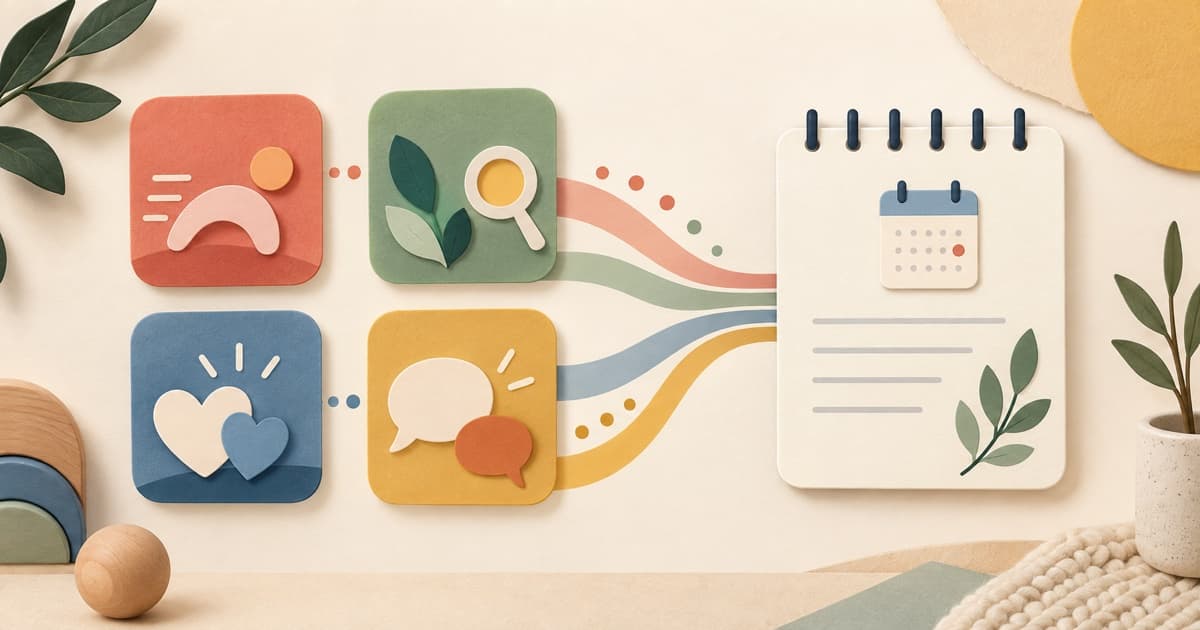
A baby milestone tracker app is most useful when it helps you remember what happened, not when it grades your baby. The best record is small enough to keep up with and detailed enough for a pediatrician to understand the context: the date, the situation, what your baby did, and how much help they needed.
A log that earns its place
A useful entry takes less than a minute. Start with the moment that caught your attention, add one line of context, and stop. You are building a thread across weeks, not a dossier. A quiet observation can be just as valuable as a dramatic first step: your baby looked toward a new sound, copied a clap, or showed you a toy by pointing.
- Keep the wording descriptive: “looked for the ball under the cloth.”
- Separate what you saw from the question it raises: “I wonder whether hearing is affecting this.”
- Let your pediatrician decide what the pattern means.
What a useful tracker records
- Physical moments such as rolling, sitting, cruising, or reaching.
- Cognitive moments such as looking for a hidden toy, copying an action, or using two objects together.
- Social moments such as responsive smiles, shared attention, waving, or checking your face.
- Language moments such as babbling, gestures, understanding a familiar word, or a new word in either home language.
A four-pillar view prevents the loudest milestone from crowding out quieter development. Walking is memorable, but a baby pointing to show you something or taking turns with sounds is valuable information too.
Context makes a note clinically useful
Write what was happening around the moment. “Reached for the cup after I named it during breakfast; needed no help” tells a different story from “can reach.” Note whether your baby was tired, recovering from illness, or trying something for the first time. If you are raising a bilingual child, record which language you used and count communication across both languages.
Keep comparison out of the log
A tracker should help you notice your child, not rank them against a sibling, a friend, or an internet percentile. Comparison strips away birth history, temperament, opportunity, and the setting in which a skill appeared. Use the record to ask a specific question at a visit, then close the app and return to your child.
What an app cannot tell you
A tracker cannot diagnose a delay, predict the exact day a skill will appear, or replace a developmental screening. Checklists describe common observations at selected ages; they are not an exam your baby must pass on demand. A missing skill, a lost skill, or a pattern that worries you belongs in a conversation with your child’s doctor.
A five-minute weekly review
- Look back at the last seven days and circle one new observation in each pillar.
- Mark questions rather than labelling your baby as ahead or behind.
- Take the short list to the next visit, and ask whether screening or an earlier appointment makes sense.
Emomo is designed around that record: a calm place to save everyday observations and show a pediatrician the pattern. It is a memory aid and a conversation starter, not a clinical service.
Frequently asked questions
What should I look for in a baby milestone tracker app?
Choose a tool that lets you record observations across physical, cognitive, social, and language development, add context, and export or show the record to your pediatrician. Avoid tools that turn variation into red labels or diagnoses.
Can a milestone tracker diagnose a delay?
No. A tracker can help you remember observations, but diagnosis and developmental screening belong to qualified clinicians.
How often should I record milestones?
A short note when something meaningful happens and a five-minute weekly review is enough for many families. Consistency and context matter more than recording every moment.
Sources
Every figure in this guide traces to one of these sources.
General information, not medical advice. Talk to your pediatrician about your own child.

- Category
- Parenting · Child development
- Type
- Baby milestone & activity companion
- Compatibility
- iPhone (iOS) and Android
- Business model
- Free to start, for little ones 0–24 months
 Press ContactThe Learning Time team